Two cables can have the same USB-C plugs yet charge at different power levels or transfer files at different speeds. This guide explains the specifications, the materials inside and outside a cable, and what to check for your device.
1. Start Here: Four Different Specifications
| Specification | Example | What it tells you | What it does not guarantee |
|---|---|---|---|
| Connector | USB-A, USB-C, Lightning | What plugs into the charger or device | Charging power or data speed |
| Charging protocol | PD, PPS, QC | How compatible equipment negotiates power | A particular data rate |
| Power rating | 60W, 100W, 240W | The cable’s rated power capability under specified conditions | Fast file transfer |
| Data rate | 480Mbps, 5Gbps, 10Gbps | The supported data signalling rate | A particular charging wattage |
The connector is only the starting point. Check charging protocol, power and data rate separately. USB-IF terminology guidance
2. Connector Types: The Physical Connection
| Connector | How to recognise it | Common role |
|---|---|---|
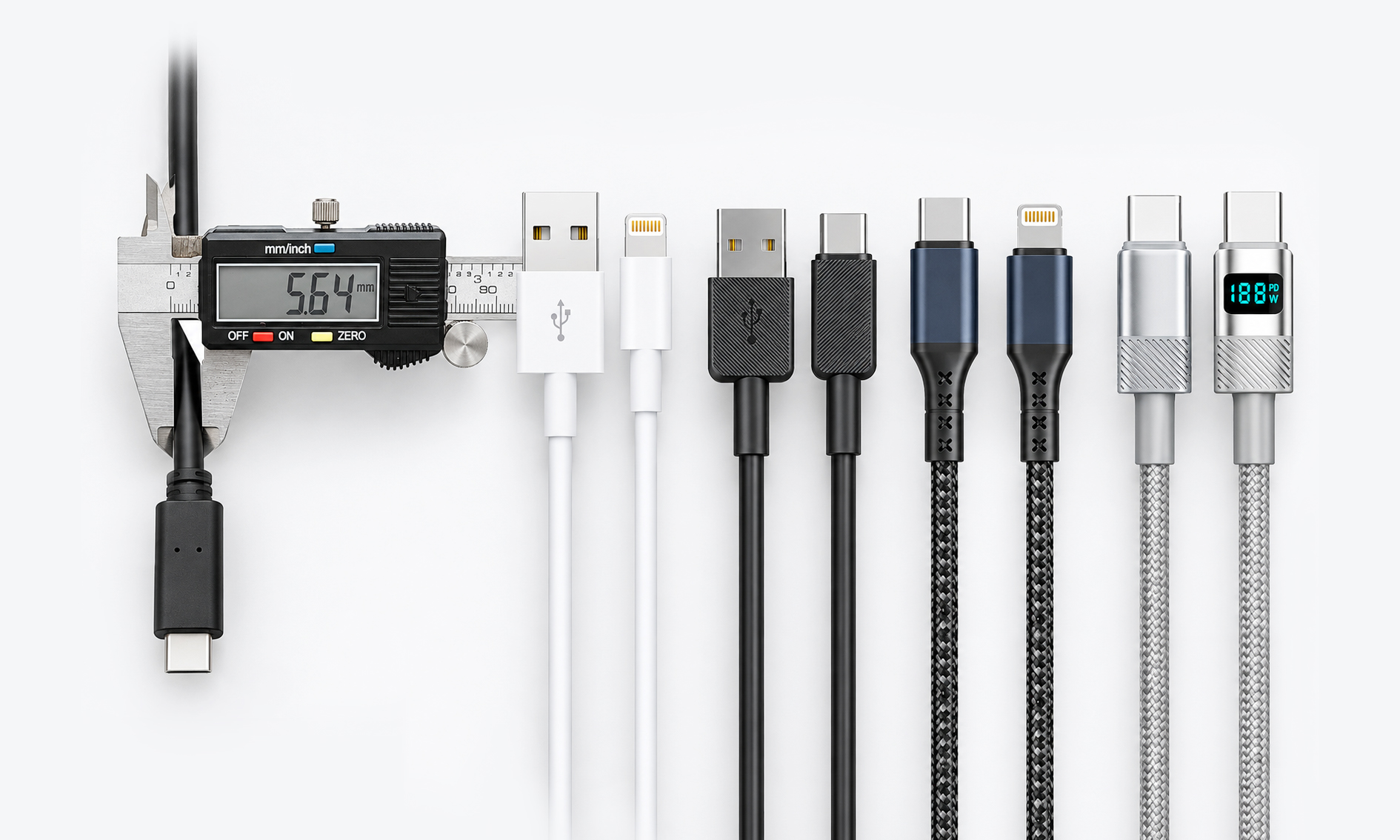
| USB-A | The familiar rectangular USB plug | Charger and computer connections |
| USB-C | A small, rounded, reversible plug | Phones, tablets, laptops and accessories |
| Lightning | Apple’s slim, reversible connector | Devices equipped with a Lightning port |
Micro USB: Common on older devices and some accessories, mainly for charging and basic data transfer. Check the device and cable specifications for supported charging modes.
Cable names describe both ends. A to C means USB-A to USB-C; C to C means USB-C at both ends; C to L means USB-C to Lightning.
3. PD, PPS and QC: The Fast-Charging Conversation
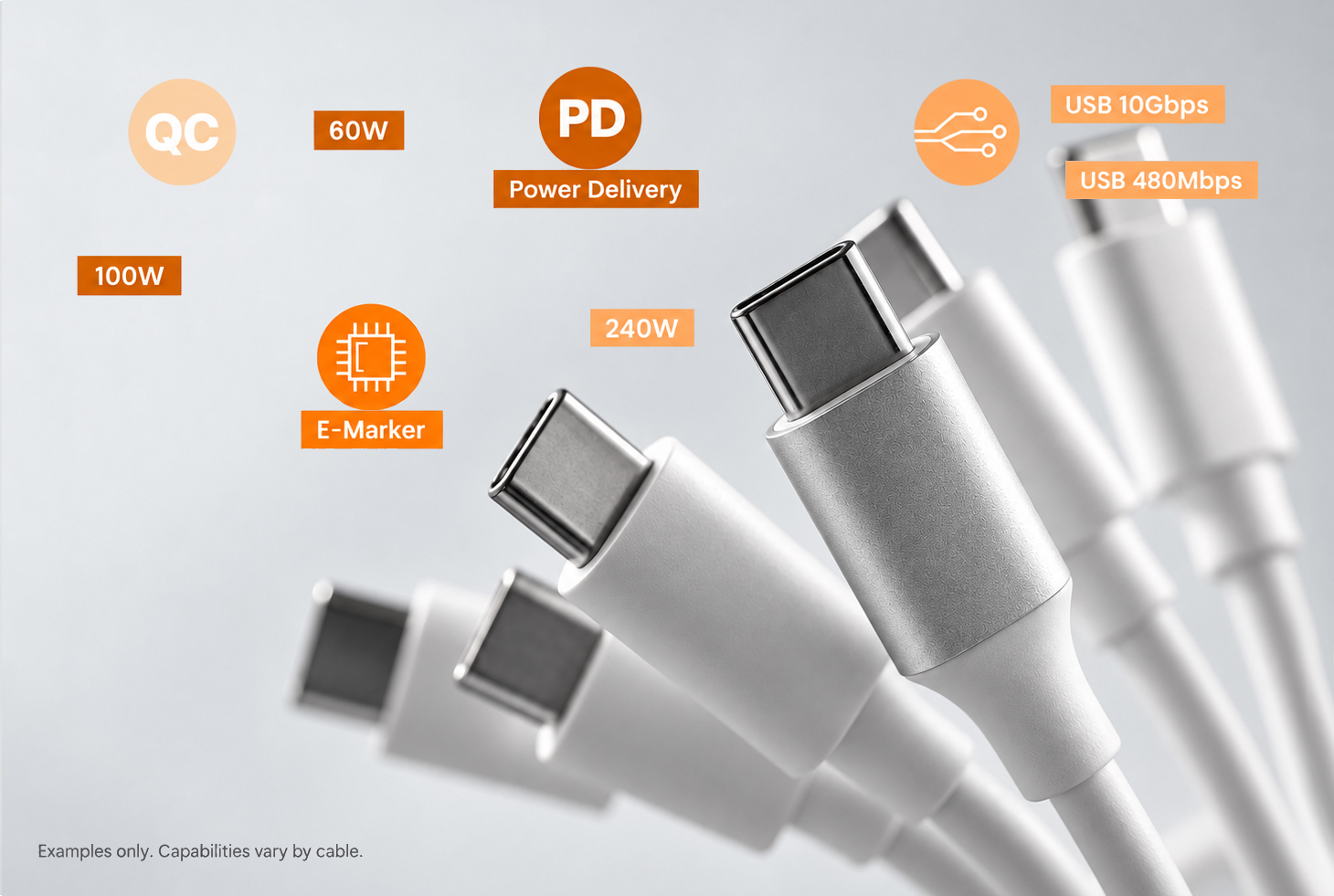
The charger and device negotiate a charging mode. The cable must provide the required connections and support the voltage and current.
| Technology | Plain-English explanation |
|---|---|
| USB PD | A USB power standard used across phones, tablets and laptops |
| PPS | An optional PD feature that adjusts supply voltage and current limits in small steps |
| QC 2.0 and QC 3.0 | Qualcomm fast-charging technologies; QC 2.0 uses fixed voltage levels, while QC 3.0 adjusts voltage in finer steps |
A charger or device that supports PD may not support PPS. Both must support the required mode; the cable must meet its electrical requirements. QC 2.0/3.0 also require compatible equipment, and a QC label does not guarantee one fixed wattage. See USB-IF’s PPS introduction and Qualcomm’s QC overview.
4. V, A and W: Understanding Cable Power
- V — volts: the supply voltage.
- A — amps: the current flowing through the connection.
- W — watts: power, calculated as voltage multiplied by current.
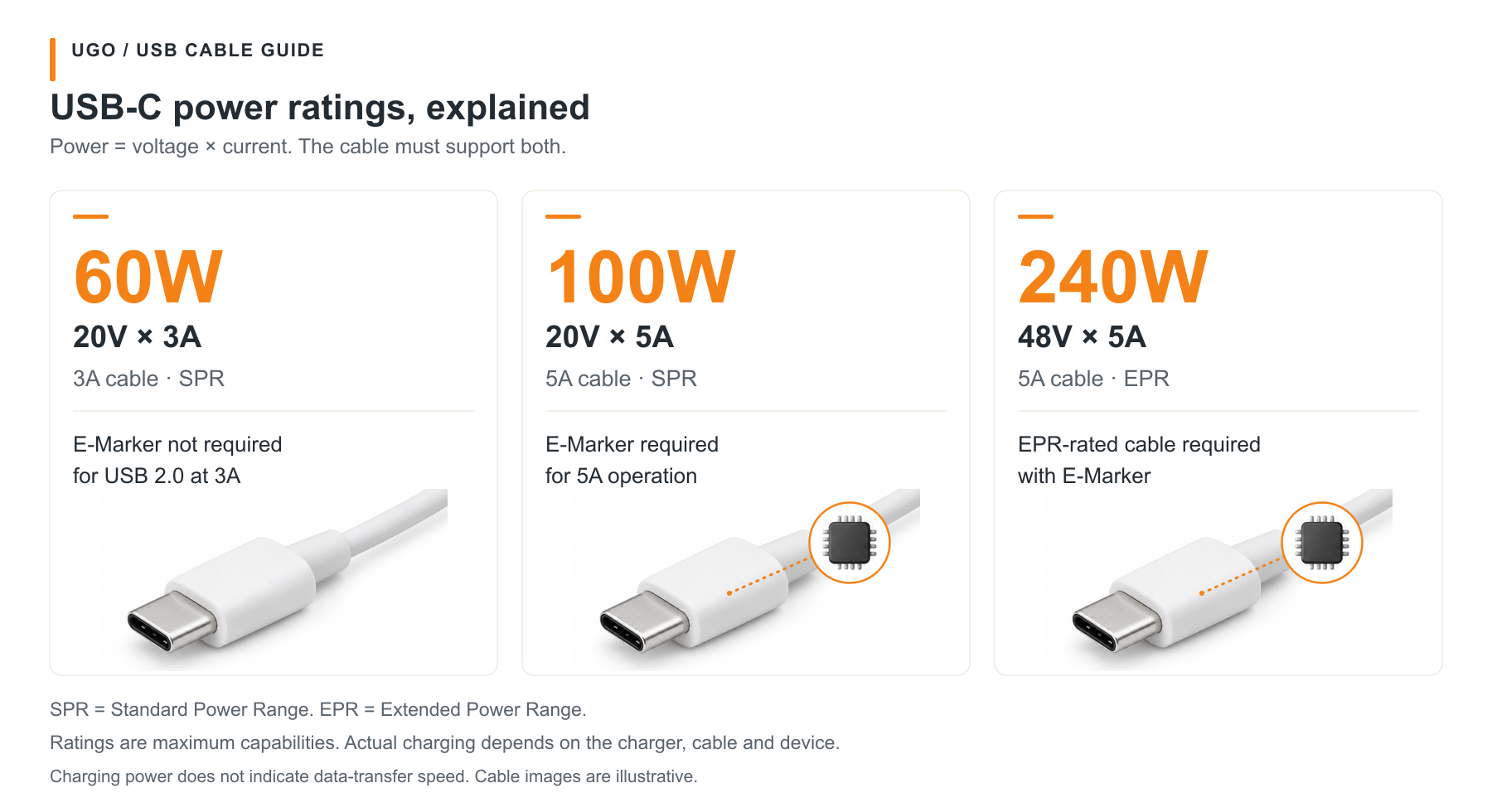
Power (W) = Voltage (V) × Current (A)
| USB-C to USB-C cable rating | Example operating point | Important detail |
|---|---|---|
| 60W, 3A | 20V × 3A = 60W | A common charging-cable category |
| 100W, 5A SPR | 20V × 5A = 100W | Requires 5A capability and electronic marking |
| 240W, 5A EPR | 48V × 5A = 240W | Requires an EPR-rated cable and compatible equipment |
An E-Marker identifies a USB-C cable’s capabilities. A standard C-to-C cable rated above 3A needs one; a basic USB 2.0, 3A cable can work without it. A chip alone does not establish 240W capability: the complete cable must be EPR-rated.
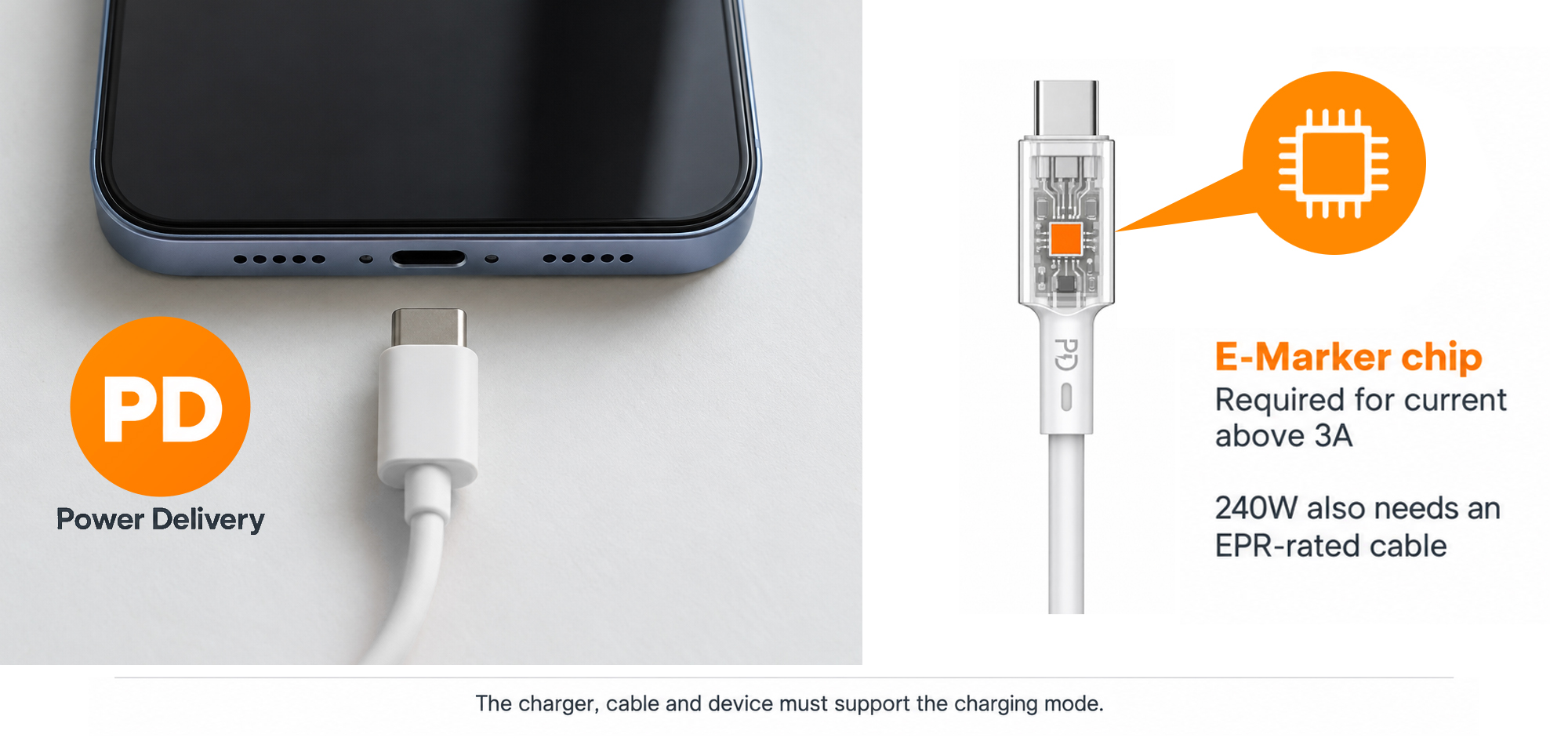
Charging below 100W can still require a 5A cable. At 20V, 65W needs 3.25A; some 45W PPS modes also exceed 3A. Check the device’s charging mode, not wattage alone. A 100W SPR cable does not automatically support EPR voltages. USB-IF PD overview
The table includes the common 100W SPR rating. Current USB-IF C-to-C cable certification uses 60W or 240W power markings; these are certification categories, not the only ratings found on existing cables. USB-IF cable marking requirements
A higher-rated cable does not force extra power into a phone. Actual charging depends on the charger, cable and device, as well as battery level and temperature.
5. Data Speed: Fast Charging Does Not Mean Fast File Transfer
A cable can support high charging power while offering only USB 2.0 data. Look for a separate data-rate specification.
| Example data marking | Rated signalling speed | What to remember |
|---|---|---|
| USB 2.0 | Up to 480Mbps | Can be sufficient for basic syncing, but slower for large files |
| USB 5Gbps | Up to 5Gbps | Requires compatible ports and devices |
| USB 10Gbps | Up to 10Gbps | The whole connection must support the rate |
These are example speeds, not a complete list. Actual file transfers are slower than signalling rates and depend on ports, devices and storage. Mbps is not MB/s: 480Mbps equals 60MB/s before overhead. USB-IF cable markings identify data capability separately from power.
Charging-focused does not mean charge-only. A charging cable may support USB 2.0 data; a charge-only cable may not transfer files. Check its stated function.
6. Conductor Specs: What Is Inside the Cable?
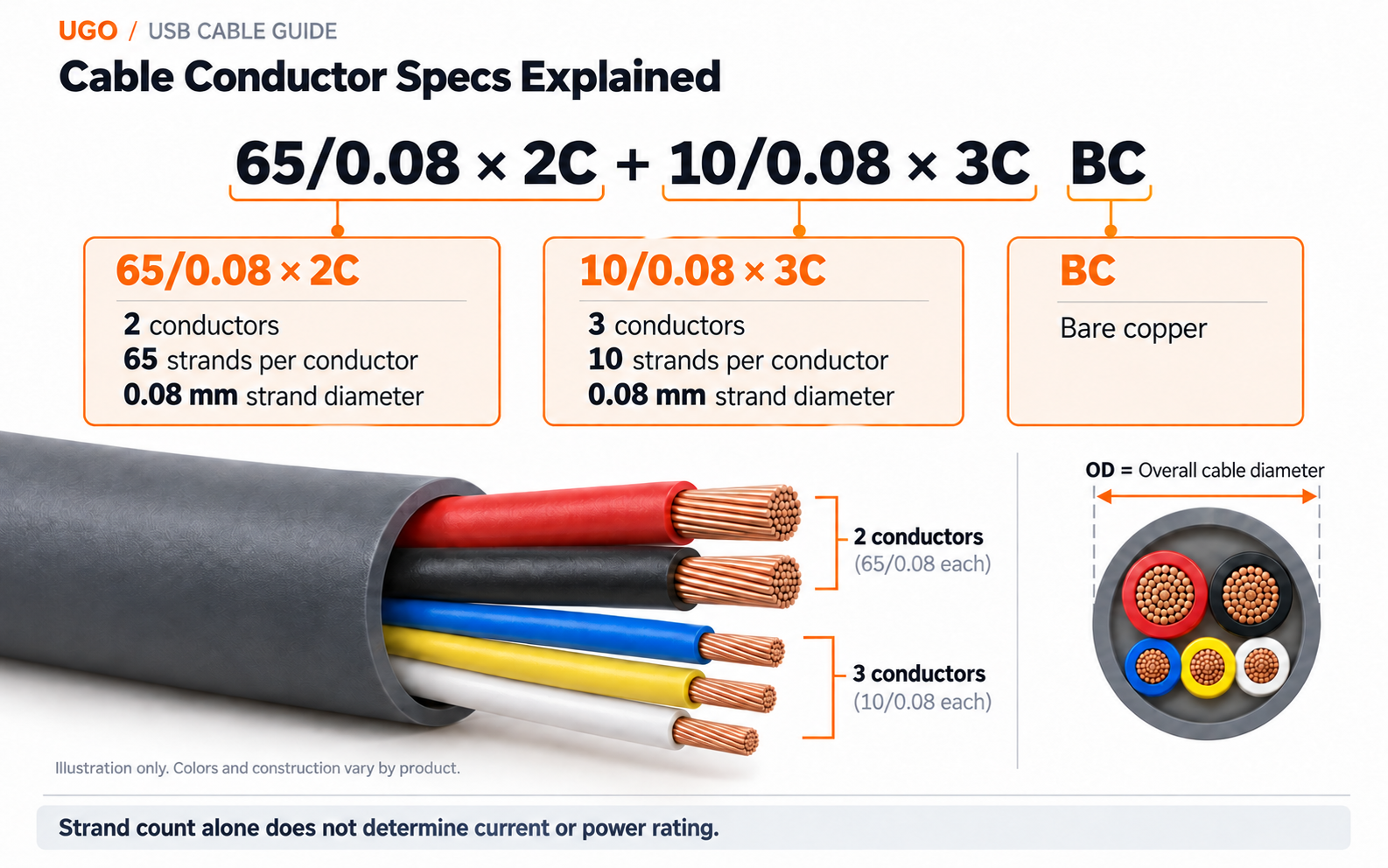
For a more detailed specification, you may see 65/0.08 × 2C + 10/0.08 × 3C BC.
| Marking | Meaning |
|---|---|
| 65/0.08 × 2C | Two conductors, each containing 65 strands of 0.08mm wire |
| 10/0.08 × 3C | Three additional conductors, each containing 10 strands of 0.08mm wire |
| BC | Bare copper; TC means tinned copper |
OD is the overall cable diameter, not the copper-strand diameter. This notation describes construction; it does not by itself establish charging power.
Common Conductor Materials
| Material | Construction | Main characteristics |
|---|---|---|
| BC — Bare copper | Unplated copper | Low resistance and good flexibility. The exposed copper surface can oxidise. |
| TC — Tinned copper | Copper with a thin tin coating | Conductivity close to bare copper, with added corrosion protection and easier soldering. |
| CCA — Copper-clad aluminium | Aluminium core with a copper outer layer | Lighter and often lower-cost, but higher DC resistance than copper at the same length and cross-section. |
| CCS — Copper-clad steel | Steel core with a copper outer layer | High tensile strength, but much higher DC resistance than copper. Often used for specialised signal applications. |
Prefer BC or TC power conductors for USB charging. TC adds corrosion protection and helps soldering. CCA and CCS are not equivalent replacements at the same conductor size. “Bare copper” means unplated copper, not a cable without insulation.
How Material Affects Power
At the same current, length and cross-section, higher resistance increases heat (I²R) and voltage drop (IR). Check conductor size, length, connectors and the tested cable rating; do not assign a fixed wattage from material alone.
Material references: copper and tin coatings, CCA construction, and CCS characteristics.
7. Cable Jackets and Connector Housings: Feel and Protection
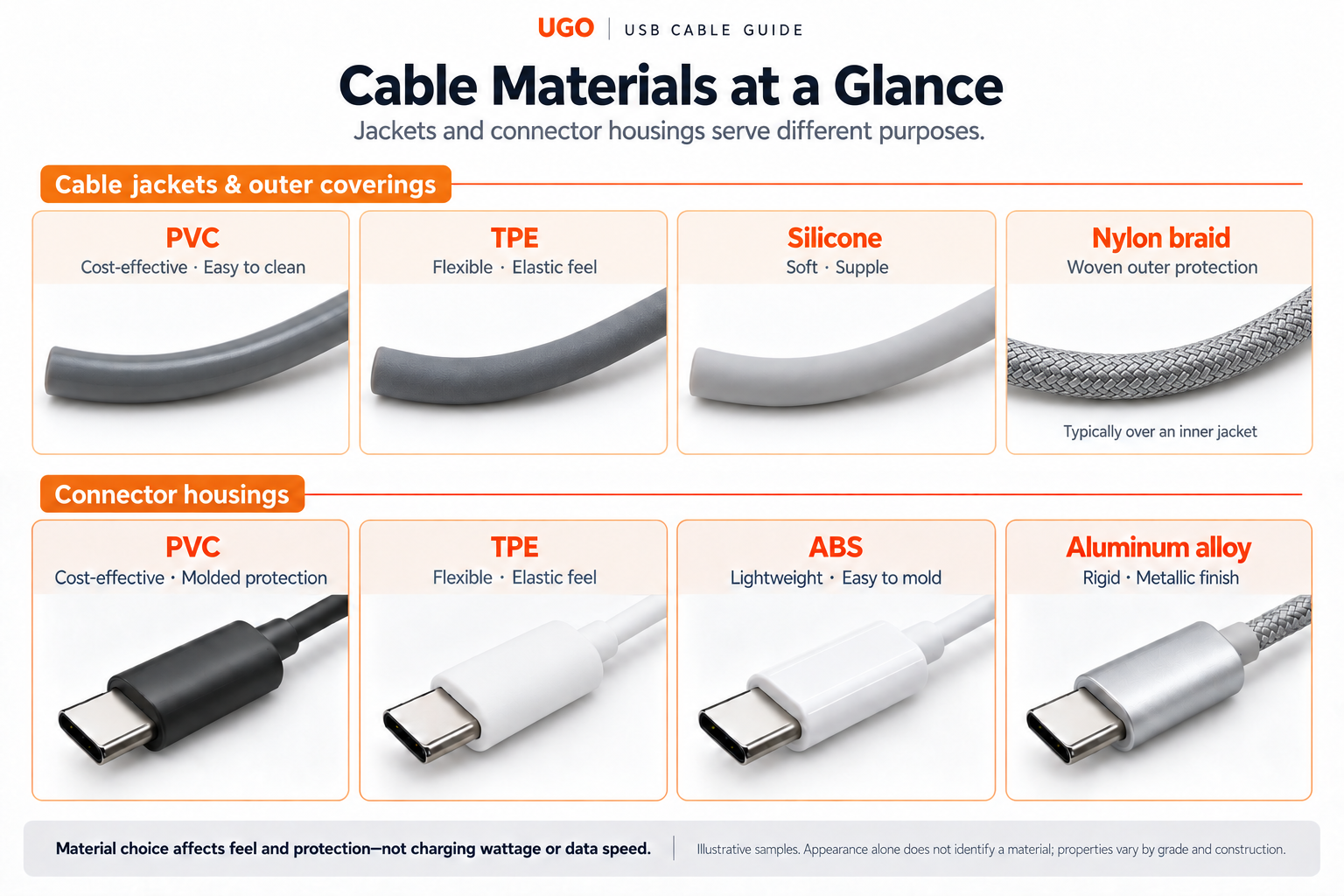
The jacket covers the cable body; the housing protects the plug assembly. Their materials affect feel and protection, rather than establishing charging power or data speed.
Common Cable Jackets and Outer Coverings
| Material | Typical characteristics | What to keep in mind |
|---|---|---|
| PVC | Cost-effective, with a smooth surface that is easy to clean. | Flexibility and temperature performance depend on the formulation. |
| TPE | Flexible, with an elastic, rubber-like feel. | TPE covers a family of materials; wear resistance and softness vary by grade. |
| Silicone | Soft and supple, with good flexibility over a broad temperature range. | Resistance to cuts, tearing and surface dirt depends on the grade and finish. |
| Nylon braid | A woven outer layer that provides additional surface protection. | Usually covers an inner jacket. Weave and construction affect stiffness and wear. |
Common Connector Housing Materials
| Material | Typical characteristics | What to keep in mind |
|---|---|---|
| PVC | Economical molded protection around the plug assembly. | Often used as an overmold; flexibility depends on the formulation. |
| TPE | A flexible overmold with an elastic feel. | A soft exterior alone does not prove bend durability. |
| ABS | A lightweight rigid plastic, easy to mold into different housing shapes. | Impact and heat performance depend on the material grade and design. |
| Aluminum alloy | A rigid metal shell with a metallic finish. | A metal shell alone does not prove better shielding, higher wattage or longer life. |
Choose for your use: TPE or silicone for a soft feel, nylon braid for woven surface protection, or PVC for an economical option. Check bend, pull and abrasion tests when durability matters.
Appearance alone cannot reliably distinguish PVC, TPE and ABS. Softness, gloss and durability vary by grade, finish and construction; check material specifications rather than colour or appearance.
Material references: LAPP jacket material guide and INEOS ABS material overview.
8. Put the Specifications Together
| Your task | What to check |
|---|---|
| Fast-charge a phone | Connector type, PD/PPS or QC compatibility, and required current |
| Charge a laptop at 65W using 20V | A suitable 5A electronically marked C-to-C cable and matching charger |
| Transfer large files | The cable’s data rate, both device ports and storage performance |
Start with the connector, then match the charging mode, required current and data rate.
Length and Compatibility Matter
- Choose the required length: longer cables can increase voltage drop and make high-speed data more demanding. Check the power and data ratings for the exact length.
- Use a known-compatible cable as a reference: if a replacement stops a feature working, compare it with the cable supplied or recommended for that equipment.
For model comparisons, see our CBA013–CBA016 buyer’s guide. For a sourcing enquiry, send UGO your cable requirements: connector types, charging mode, current, data rate, length and quantity.